Logging out
Signing out, for example on a shared phone.
You only need to log out if someone else uses your phone. On your own phone you can stay logged in.
1
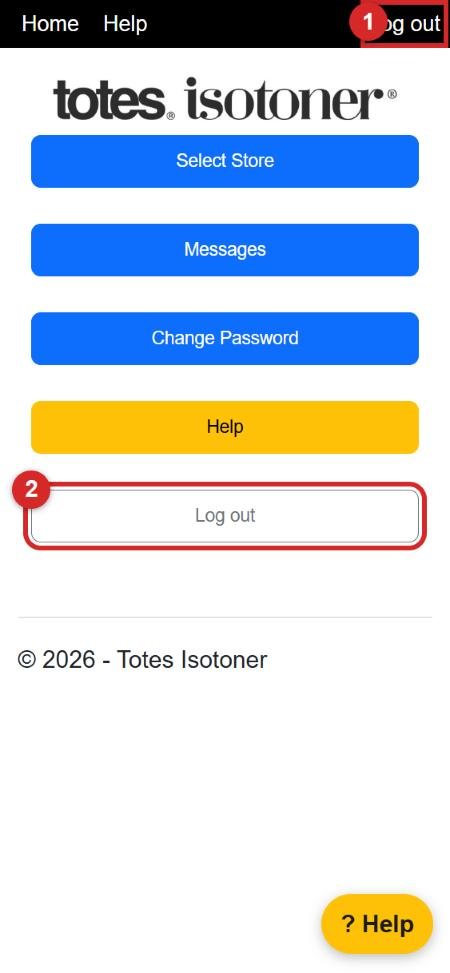
Tap Log out in the top right corner of any screen (number 1), or the Log out button at the bottom of the home screen (number 2).
2
You are back at the log in screen. To come back in, log in again.