"Allow location" message
Why the phone asks for your location, and what to press.
When you record a visit, the app notes where you are, so the office can see you were at the store. Your phone will ask permission the first time.
If a box pops up asking to use your location, tap Allow (on an iPhone it may say Allow While Using App or Allow Once, either is fine).
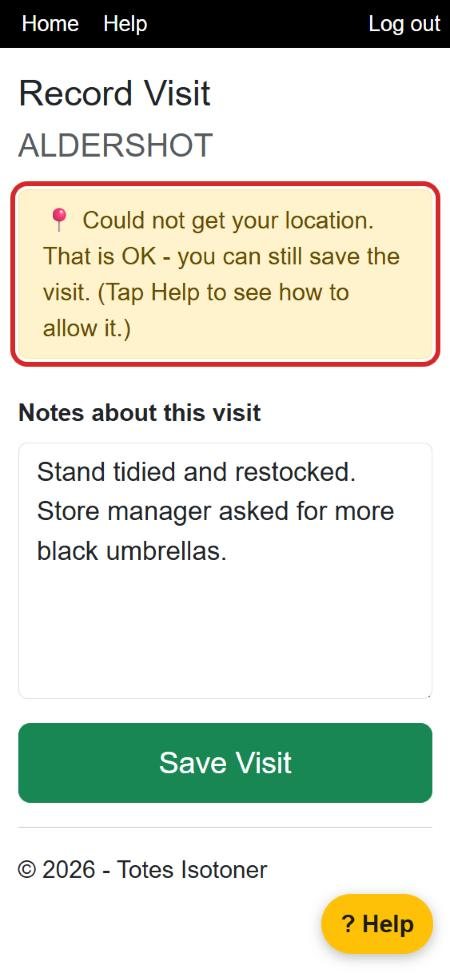
If you see this yellow box, the phone couldn't find you. That is OK: write your notes and tap Save Visit anyway. The visit still counts.
If you tapped "Don't Allow" by mistake
iPhone: open the Settings app → Privacy & Security → Location Services. Make sure it is switched on (green). Scroll down to Safari Websites (or Chrome) and choose While Using the App.
Android: in Chrome, tap the little symbol to the left of the web address at the top → Permissions (or Site settings) → Location → Allow. Also check that Location is switched on when you swipe down from the top of the screen.