Finding your store in the list
Choosing the chain, then searching for the store by name or number.
Stores are grouped by the shop chain (Tesco, Morrisons, Boots and so on). You choose the chain first, then the store.
On the home screen tap Select Store.
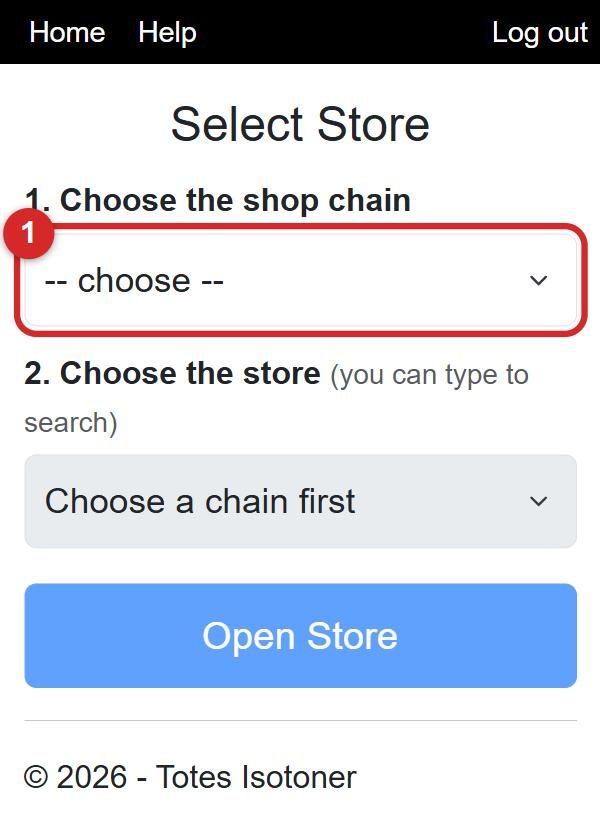
Tap the first box (number 1) and choose the chain.
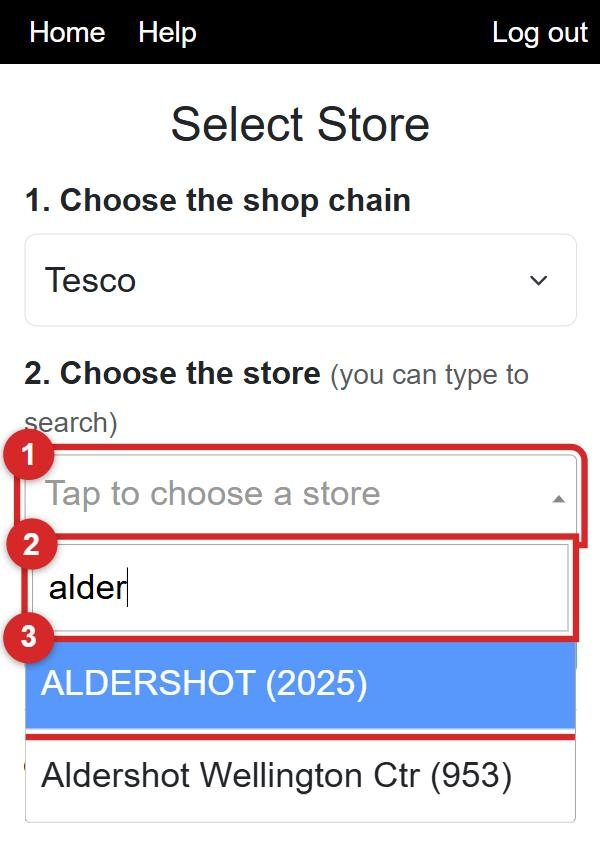
Tap the second box. A typing box appears. You can type any part of the store: the town (e.g. alder for Aldershot), the street, or the store number. The list gets shorter as you type. Tap your store.
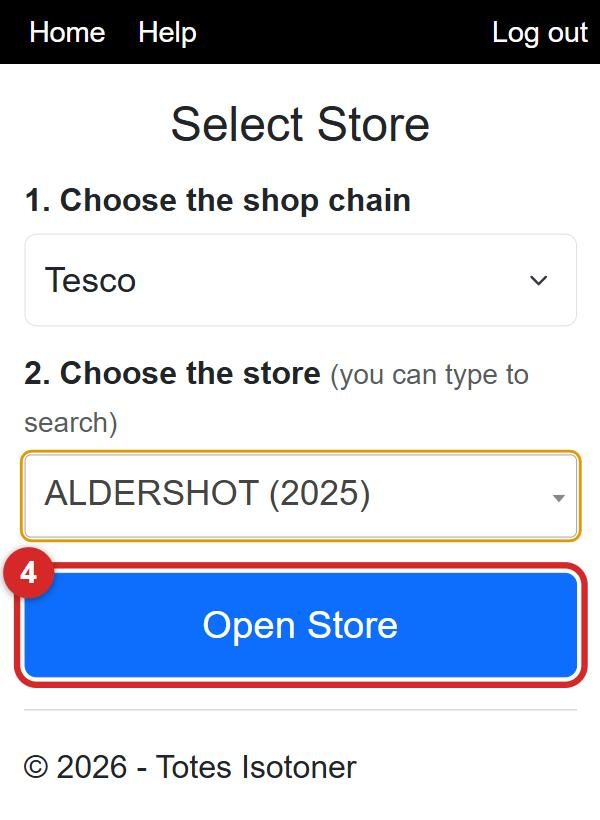
Tap Open Store.
A store that isn't on your list
Covering for someone, or visiting a store that isn't yours? You can still pick it.
Choose the chain as usual. Then, at the bottom of the screen, tap the box next to Show all stores, not just mine so it has a tick in it (number 1).
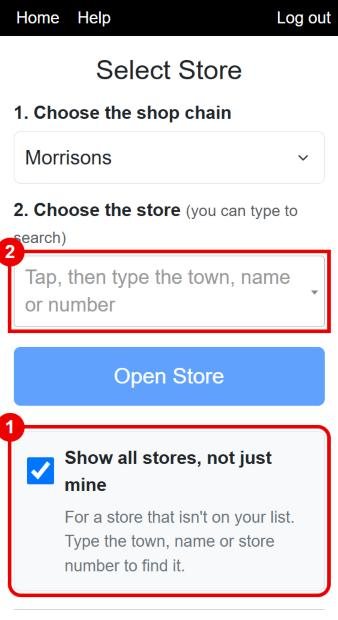
Tap the store box (number 2). This time the list starts empty because there are so many stores. Type at least 2 letters of the town, the store name or the store number (number 1 below). Then tap your store (number 2).
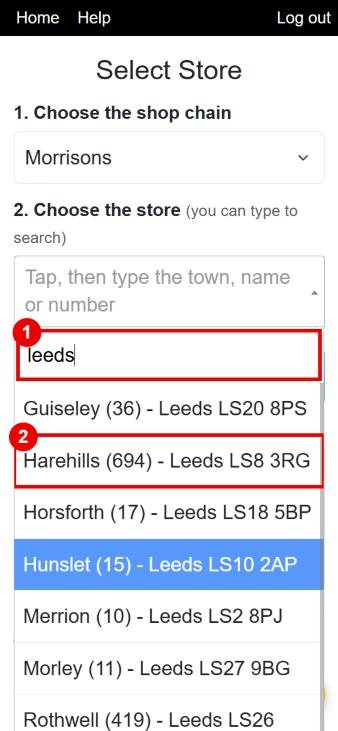
Tap Open Store and carry on as normal.
You might also want
- Recording a visit to a store The everyday job: pick the store, write your notes, save the visit.
- A store or chain is missing or empty What to do when your store isn't in the list.