The home screen
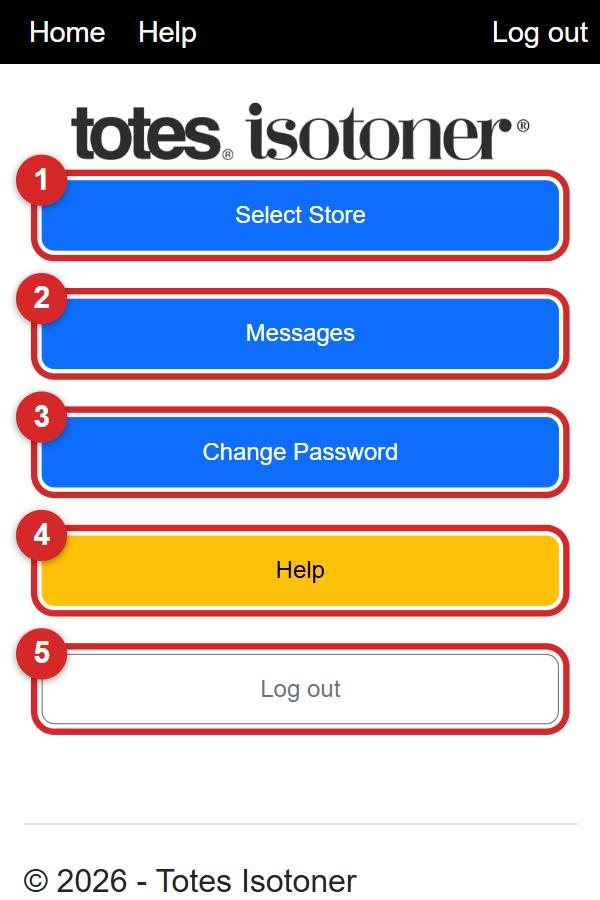
What each of the big buttons on the first screen does.
After you log in you see the home screen. Everything starts here. You can always get back to it by tapping Home in the black bar at the very top.
1
Select Store: go to a store to record your visit. This is the one you will use most. How to record a visit
2
Messages: read and send messages. A little red number on it means you have new messages. How messages work
3
Change Password: choose a new password. How to change your password
4
Help: the yellow button brings you to these help pages. There is also a yellow ? Help button in the corner of every screen.
5
Log out: sign out of the app. More about logging out
💡 Managers see some extra buttons at the top of this screen. If you don't see them, don't worry: you don't need them.